

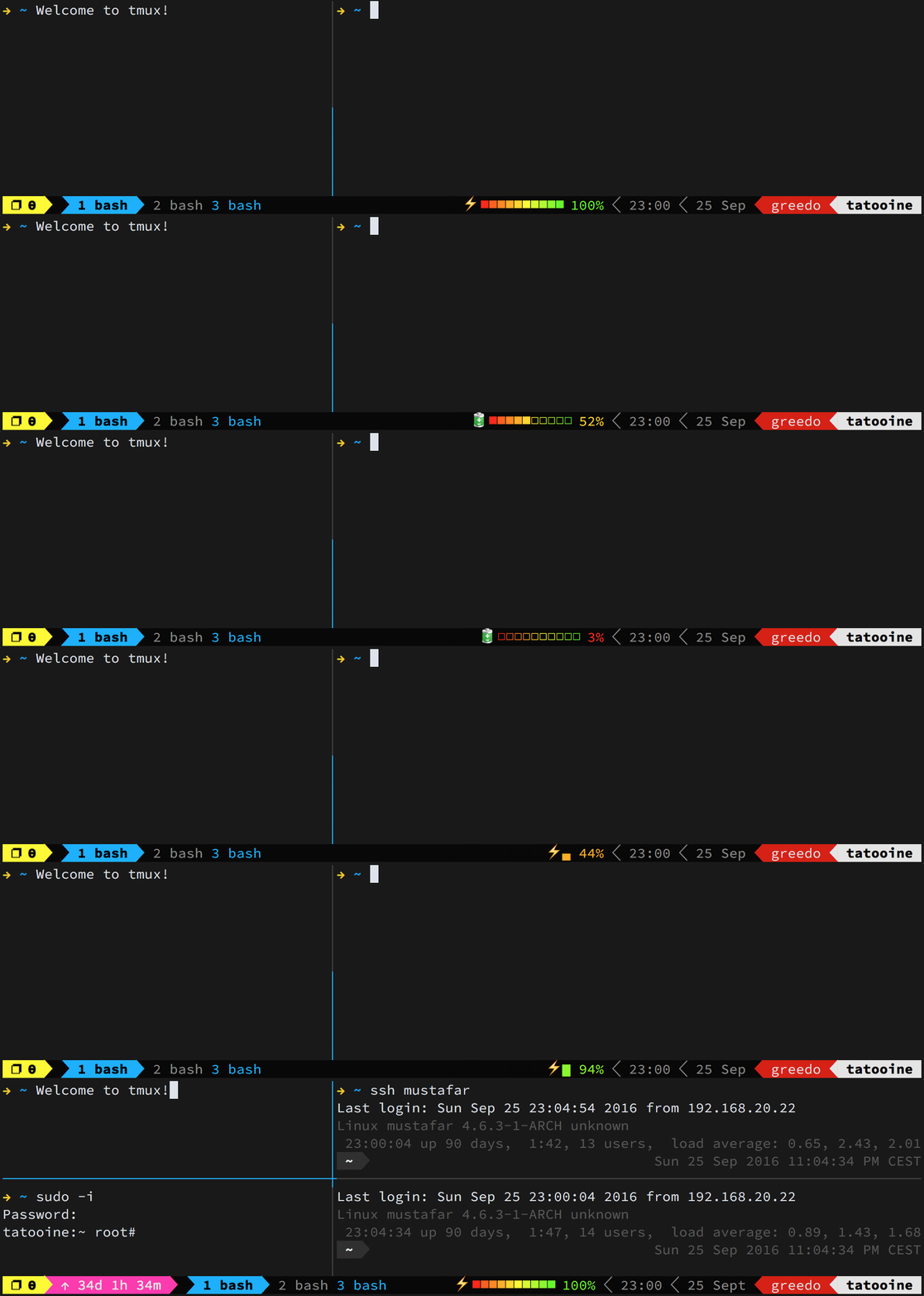
Welcome to my personal dotfiles repository, tailored for the 🐟 Fish shell. These configurations are designed to create a baseline for my development environment, integrating seamlessly with VSCode, Starship, tmux, etc.
-
Prompt Customization with ⭐️🚀 Starship: A sleek, informative command-line interface built in Rust.
-
Effortless Dotfile Management: Uses chezmoi for a streamlined process to update, install, and configure my environment with a simple one-line command.
-
Intelligent OS Detection: Automatically installs OS-specific packages, ensuring compatibility and ease of setup.
-
User-Guided Installation Script: Tailored setup with interactive prompts to select only the tools I need.
-
Enhanced File Listing with eza: A more colorful and user-friendly
lscommand. -
Optimized Tmux Configuration: Benefit from a powerful Tmux setup by gpakosz, enhancing your terminal multiplexer experience.
Note: This setup is currently optimized for macOS and Debian-based Linux distributions.
To install, choose one of the following methods and execute the command in my terminal:
-
Curl:
sh -c "$(curl -fsLS get.chezmoi.io)" -- init --apply mmena1 -
Wget:
sh -c "$(wget -qO- get.chezmoi.io)" -- init --apply mmena1 -
Homebrew:
brew install chezmoi
chezmoi init --apply mmena1
-
Snap:
snap install chezmoi --classic
chezmoi init --apply mmena1
Keep my environment fresh and up-to-date with a simple command:
chezmoi updateThis will fetch and apply the latest changes from the repository, ensuring my setup remains optimal.
Leveraging the best of oh-my-zsh, I’ve crafted custom Fish scripts, including git and eza abbreviations, enriching my shell without the need for plugins.
At the heart of my dotfile management is Chezmoi, a robust tool offering templating features to dynamically adapt scripts across various systems, alongside the capability to preview and verify scripts before execution.
A task-based approach is used for managing the setup and configuration of my development environment. Instead of running a monolithic script, the setup process is broken down into discrete tasks that can be individually registered, managed, and executed.
Key features of the task management system:
- Task Registration: Each setup component is registered as a task with a name, description, list of dependencies, and execution function.
- Dependency Resolution: Tasks specify their dependencies, ensuring they’re executed in the correct order. For example, package installation requires Homebrew to be installed first (only for macOS).
- Interactive Execution: Before each task runs, I’m prompted to confirm, letting me customize my setup process.
- Error Handling: If a task fails, I can choose to continue with the remaining tasks or abort the setup.
- Modular Implementation: Setup components are organized into modules (package management, shell configuration, development tools, etc.) that can be maintained independently.
This approach makes the setup process more maintainable, flexible, and user-friendly. New tasks can be added without modifying existing code, and dependencies are automatically resolved to ensure a smooth setup experience.
sequenceDiagram
    participant User
    participant SetupScript
    participant TaskManager
    participant TaskModule

    User->>SetupScript: Initiate environment setup
    SetupScript->>TaskManager: Register setup tasks
    TaskManager->>TaskManager: Check dependencies for each task
    TaskManager->>TaskModule: Execute task module (e.g., packages, tools, shell)
    TaskModule-->>TaskManager: Return task status
    TaskManager-->>SetupScript: Report consolidated task results
    SetupScript->>User: Display "Setup completed" message
A special thanks to:
- GitHub ❤ ~/ for a fantastic collection of dotfiles repositories.
- Adam Eivy’s dotfiles for inspiration on automation and design.
- Sebastián Estrella for introducing me to the world of dotfile management.
- LFreza for the invaluable memes and laughter shared during work.
This project is licensed under the ISC License – see Martin Mena for more details.
Leave a Reply